Lead distribution software for lead generation businesses
From form fill to paid invoice. Every lead accounted for.
Sent 24/7 takes leads from your forms and suppliers, checks them, sends each one to the right buyer as it arrives, and bills it. Then it shows you the profit on every campaign, after ad spend.
Built and run inside a working Australian lead generation business.
How it works
One system from the form to the invoice
Most lead businesses glue this together with forms, spreadsheets, CRMs and an accounting package. Sent 24/7 does it in one place, so every lead has one record from the moment it lands.
Step 1
Capture
Leads post in from your own forms and from suppliers over a simple API. Half-finished forms are kept, and people who drop off get a link to finish.
Step 2
Check
Duplicates, dead mobile numbers, renters and removal requests are caught by your screening rules before a buyer pays for them.
Step 3
Route
Each lead goes to the right buyer by postcode, capacity and schedule, using the shares and priorities you set.
Step 4
Deliver
By webhook, email, Google Sheets or straight into the buyer’s CRM. Failed deliveries are retried on their own.
Step 5
Get paid
Every delivery lands on the billing ledger. Invoice buyers, settle credits, and see what each campaign made after ad spend.
The platform
Built for how lead businesses actually run
Every feature is there because a lead business needed it: to sell more of its leads, keep buyers happy and know what it made.
Routing you control
Postcode coverage, per-area lead shares, caps, schedules and buyer priorities. See who covers each postcode and where the gaps are before you spend on ads there.
Delivery buyers trust
Webhooks, email, Google Sheets and CRM integrations including GoHighLevel, HubSpot, Pipedrive and ServiceM8. Failed deliveries retry on their own.
Quality you can show
Duplicate checks, mobile number lookups, screening rules and suppression lists, plus a Call Console for verification calls and a log of every call.
Rejections handled fairly
Buyers reject bad leads in their portal, inside the window and for the reasons you allow. You approve each one as a refund or a replacement lead.
Billing that reconciles
A ledger behind every charge and credit. Invoices with GST and your logo, credit notes, receivables, and card payments through your own Stripe account.
Profit by campaign
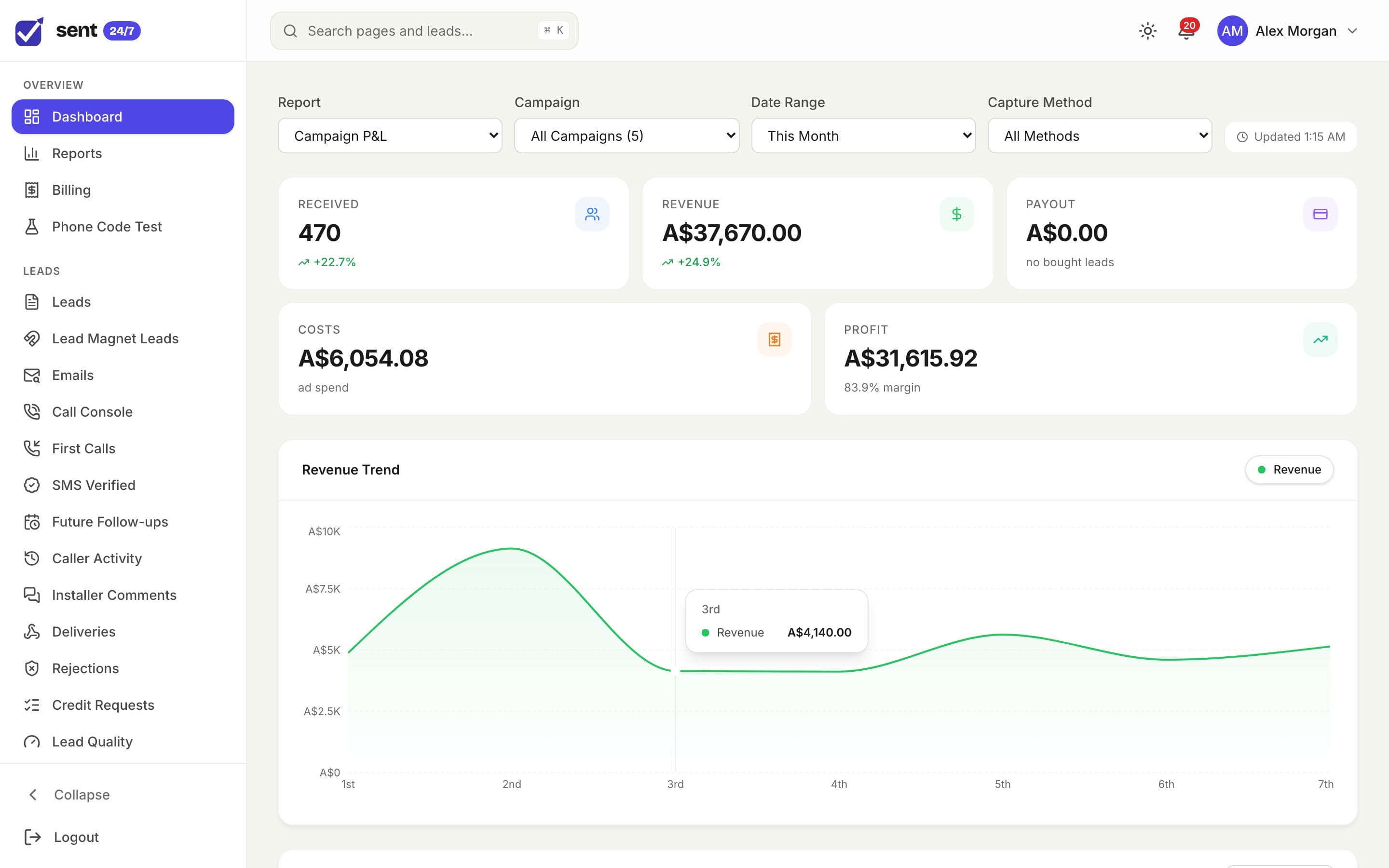
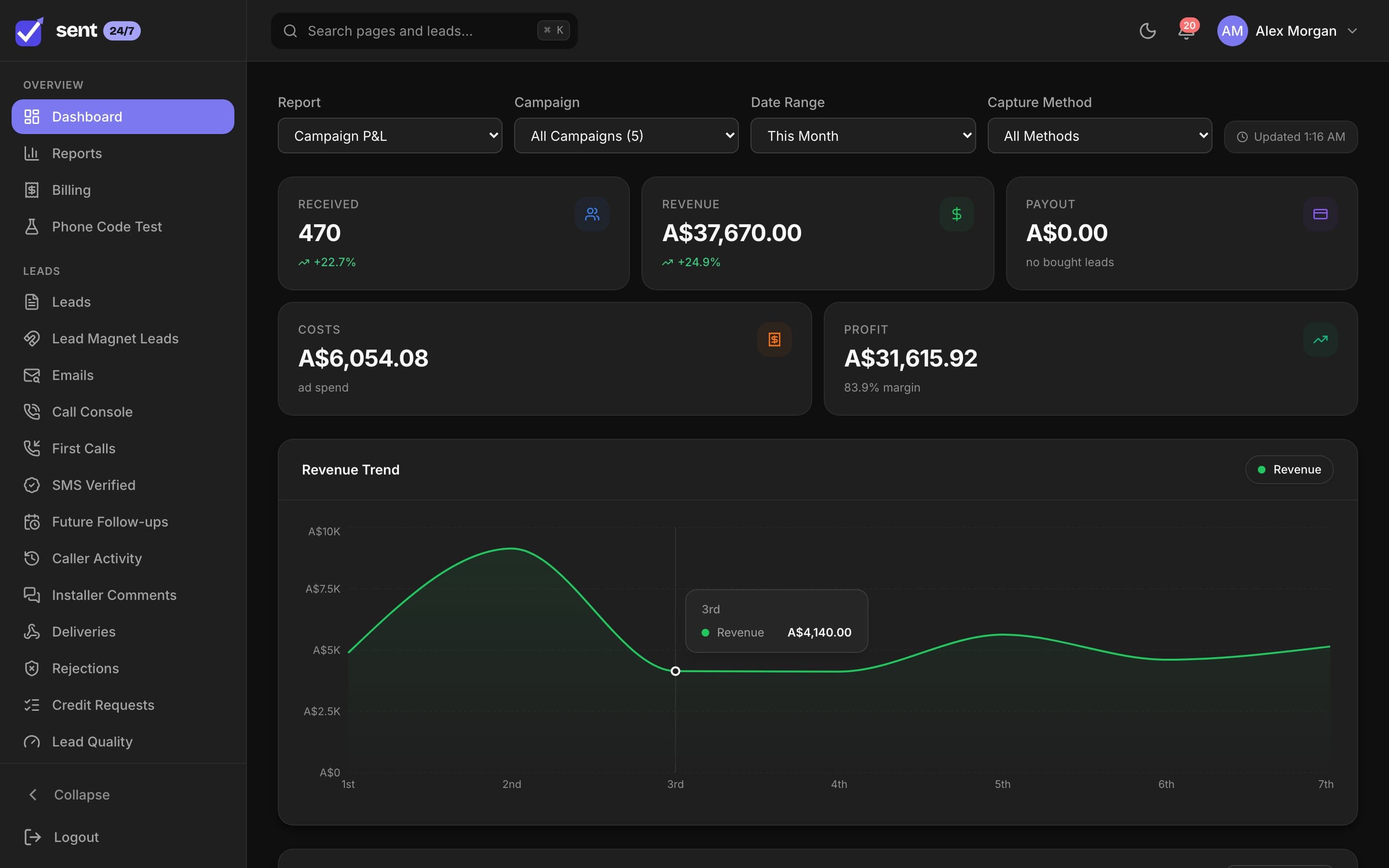
Ad spend synced from Meta, Google and Microsoft sits next to revenue, so you see cost per lead, return on ad spend and profit after ad spend for every campaign.
Coverage
Know who covers every postcode
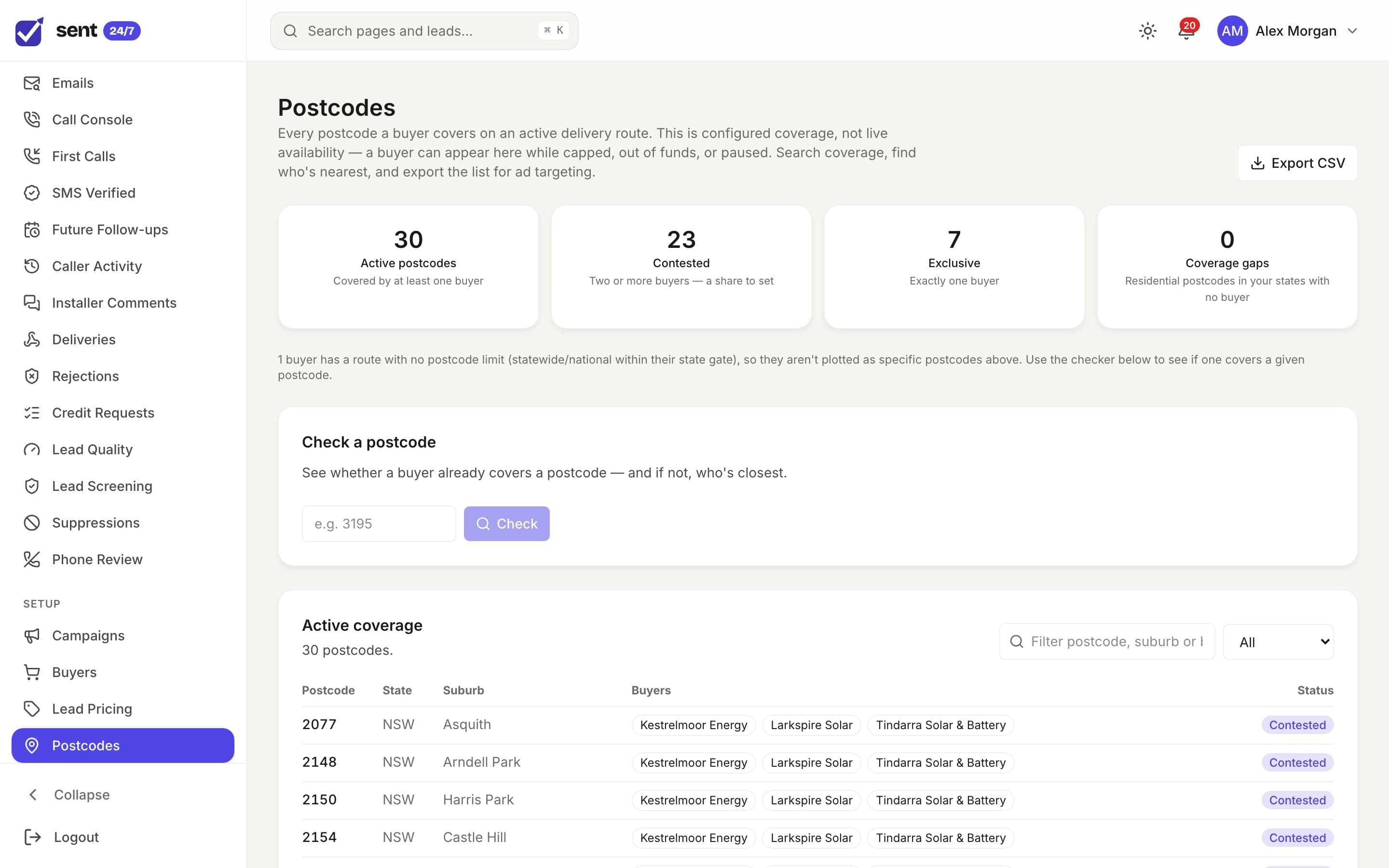
See which buyers cover each postcode, where two buyers compete for the same leads, and where nobody does.
- Check a postcode and find the nearest buyer
- Spot the gaps before you spend on ads there
- Export the covered list for ad targeting
Verification
Call every lead, keep every note
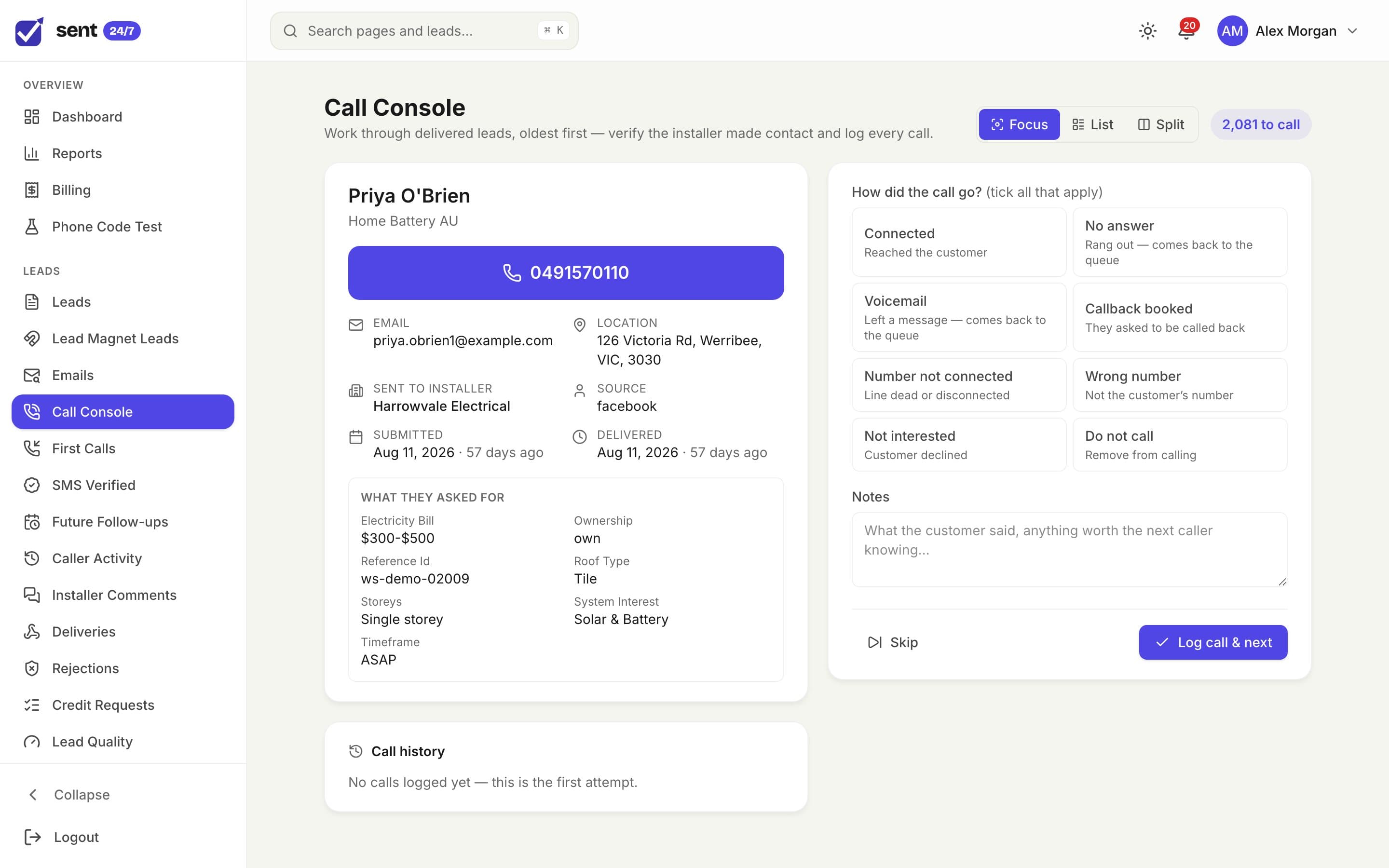
Work through delivered leads oldest first and log how each call went, so you know the buyer could reach the customer.
- Outcomes, callbacks and notes in one screen
- Resend a lead to another buyer if the first can’t make contact
- Every call logged against the caller
Credits
Rejections without the back-and-forth
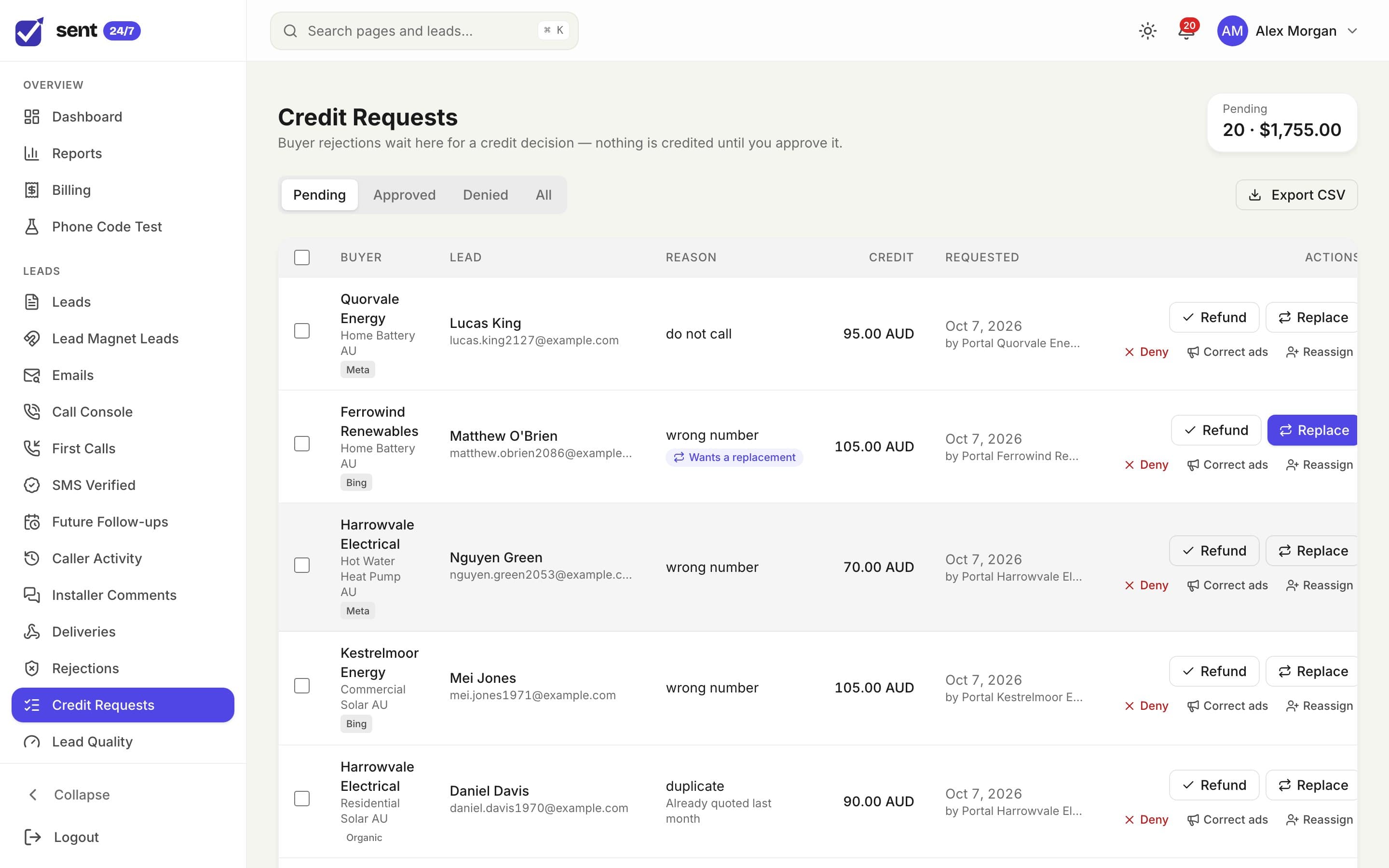
Rejections arrive with the buyer’s reason and the lead attached. Decide each one in a click, and the credit lands on the ledger.
- Approve as a refund or as a replacement lead
- Deny with a note kept on the record
- A rejection window and allowed reasons for each buyer
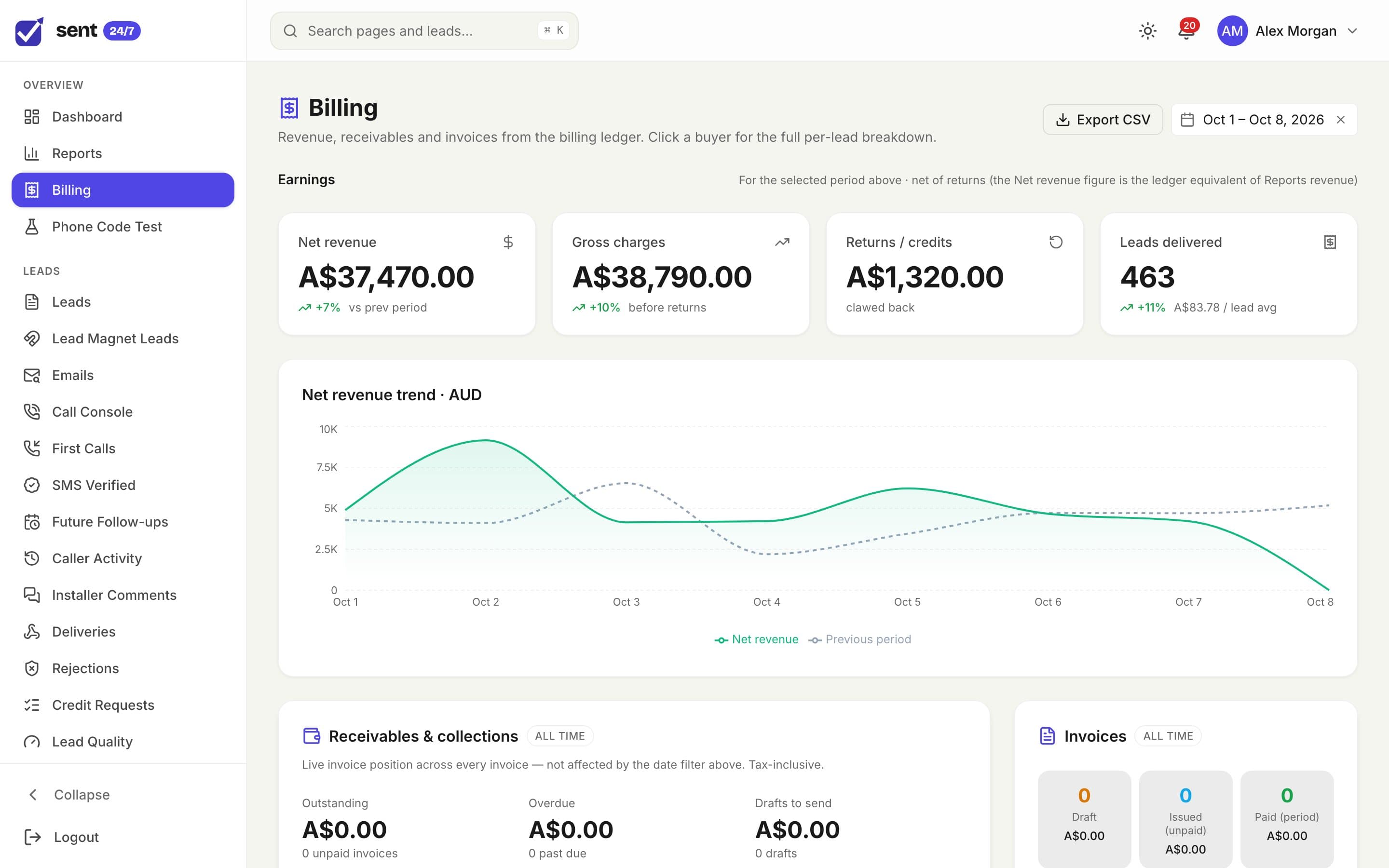
Billing
Billing that matches the deliveries
Net revenue, returns and receivables, straight from the ledger every charge and credit is written to.
- Invoices with your tax settings and logo
- Credit notes and overdue invoices at a glance
- Prepaid balances topped up by card
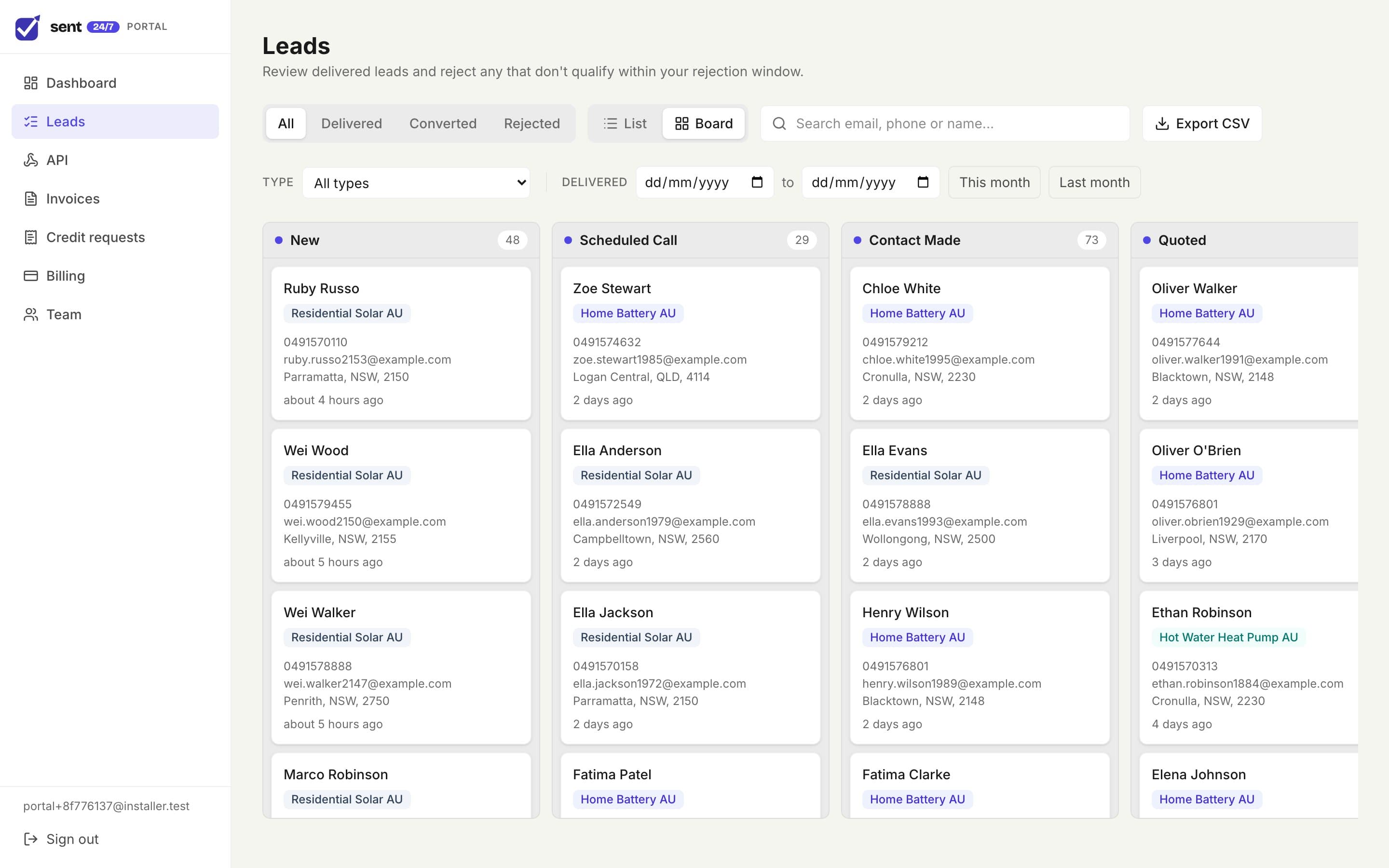
Buyer portal
Give every buyer their own portal
Buyers see the leads they bought, work them through their pipeline, and raise rejections the right way, instead of by email.
- Their leads, their way
- A list, or a board they move through the sales stages you set.
- Fair rejections
- Reject a lead inside your window, with a reason you allow.
- Notes and first calls
- Their team logs how the first call went and keeps notes on each lead.
- Invoices in one place
- Invoices and billing, plus logins for the rest of their team.
Integrations
Works with what your buyers already use
Leads go where each buyer wants them. Conversions go back to the ad platforms that paid for them.
Deliver leads to
Built-in delivery plus CRM integrations
- Webhooks
- Google Sheets
- GoHighLevel
- HubSpot
- Pipedrive
- Close
- Zoho CRM
- ServiceM8
- Airtable
- Convoso
- Pylon
- Mercury
- MyCRM
Ad platforms
Spend sync and conversion uploads, depending on the platform
- Meta
- Google Ads
- Microsoft Advertising
- OpenAI Ads
- AppLovin
- Taboola
- X
Payments and email
Your accounts, your sending domain
- Stripe
- Your own SMTP
Why it exists
Built inside a working lead business
Sent 24/7 wasn’t designed from the outside. It runs an Australian solar lead generation business every day, and most of what it does exists because that business needed it.
Buyers couldn’t always reach the customer
Verification calls in the Call Console, and resending to another buyer
Ad money was landing where nobody bought
Postcode coverage, gaps and nearest-buyer checks
Buyers needed a fair way to reject bad leads
Rejection windows, reasons and one-click credits
Revenue looked fine but profit was a guess
Ad spend next to revenue, campaign by campaign
Questions
Who is Sent 24/7 for?
Businesses that generate leads and sell them to buyers: lead generation agencies, publishers and in-house teams selling to installers, brokers and trades.
Can I keep my own forms and suppliers?
Yes. Your forms and any supplier post leads to the API, each with its own key, so you always know where a lead came from. Half-finished forms are kept, so you can follow them up.
How do buyers receive their leads?
By webhook, email, Google Sheets or straight into their CRM, with retries if their system is down. Each buyer also gets a portal to work their leads, reject bad ones inside your window, and see their invoices.
Does it work for Australian businesses?
It was built and is used in Australia: AUD pricing and reporting, GST on invoices, postcode routing and Australian mobile number checks. Buyers can also be billed in other currencies.
How is it priced?
On your lead volume and what you need set up. Book a demo and we will put together a quote.
See it with your own leads
Book a demo and we’ll walk through your routing, your buyers and your billing with you, then put together a quote.