Product
Everything between the form and the invoice
A closer look at what Sent 24/7 does at each step, from the moment a lead arrives to the day the invoice is paid.
Intake
Take leads from anywhere
Your own forms and your suppliers post leads into one place, each with its own key, so you always know where a lead came from.
- An API key for each supplier, and for your own forms
- Custom fields per campaign
- Half-finished forms kept, with emails that bring people back to finish
Checks
Stop bad leads before a buyer pays for them
Every lead runs through your checks on the way in. The ones that fail are kept for review instead of being sold.
- Duplicate detection on phone, email and street address
- Australian mobile number checks
- Screening rules that reject or quarantine leads, such as renters
- A suppression list for removal requests, passed on to buyers who already have the lead
- A review queue for numbers buyers report as wrong
Routing
Send each lead to the right buyer
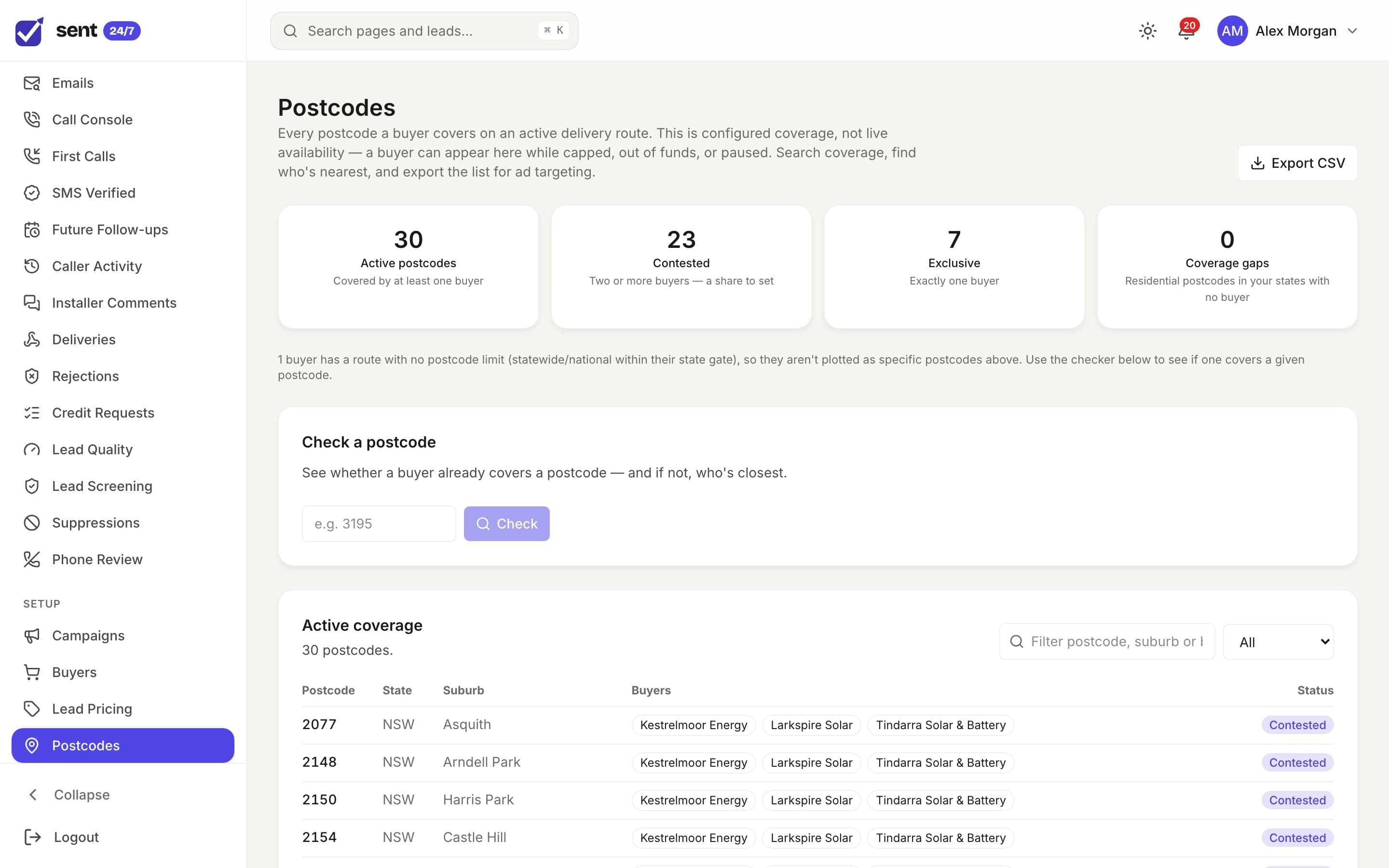
Set who covers which postcodes, how much each buyer can take and when, and how shared areas split. Sent 24/7 follows the rules on every lead.
- Postcode coverage, contested areas and gaps, with a nearest-buyer check
- Lead share by area when two buyers want the same postcodes
- Hourly to lifetime caps on each delivery route
- Delivery schedules per buyer
- Priority, weighted and round-robin distribution
- Routing preferences that steer segments toward or away from buyers
Delivery
Deliver the way each buyer wants
One buyer wants a webhook, another an email, a third wants leads in their CRM. Each delivery route is set up once and then just runs.
- Webhooks with your own body templates and field mapping
- Email delivery with your own templates
- Google Sheets, and CRM integrations from GoHighLevel to ServiceM8
- Failed webhooks retried automatically, with each attempt logged on the lead
- Confirmation emails to the buyer’s team
Verification
Make sure leads are real and reached
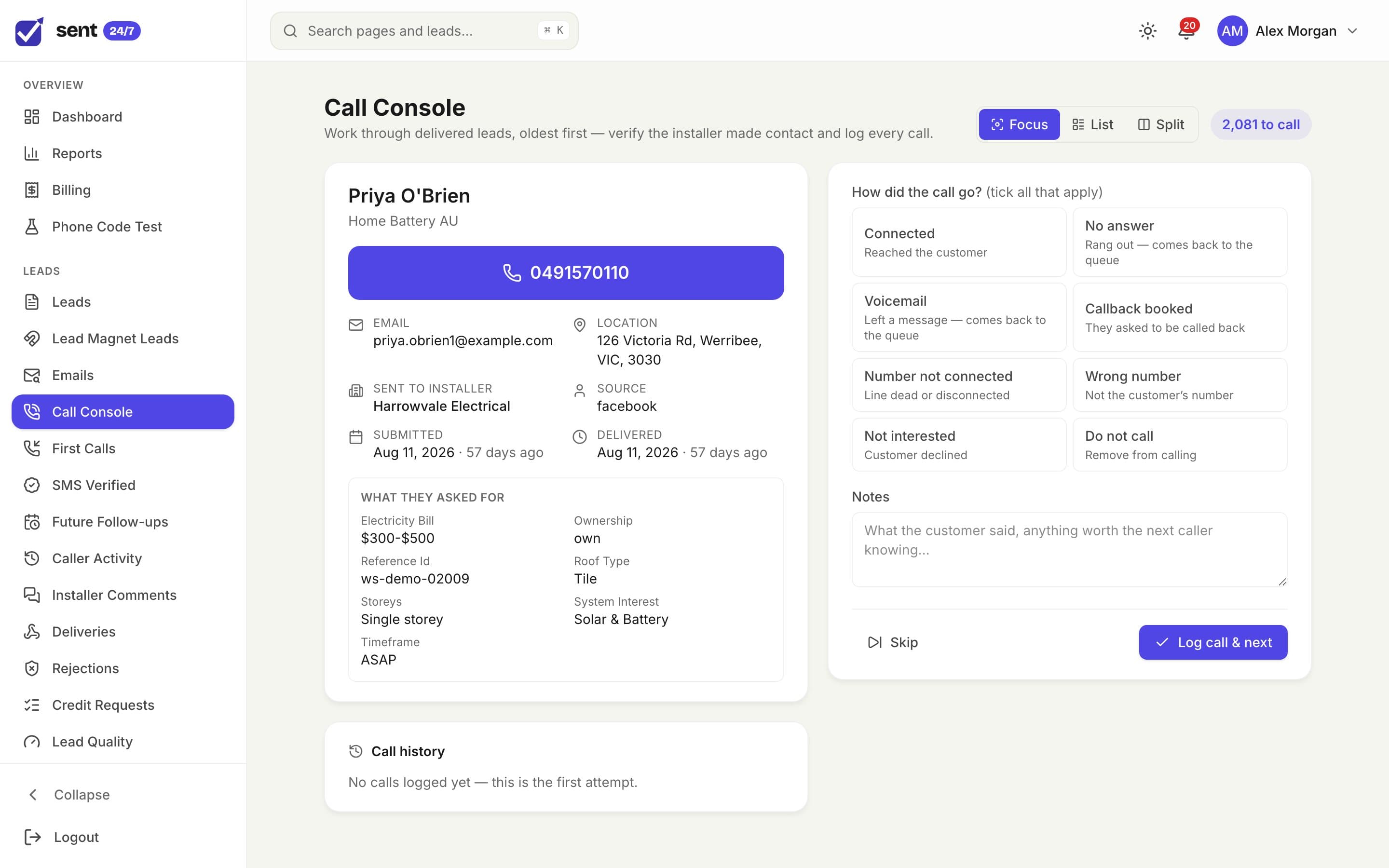
Your team calls delivered leads from one screen, and buyers log how their own first call went. Quality stops being an argument.
- A Call Console for verification calls, oldest lead first
- Call outcomes, callbacks, follow-ups and a full call history
- Buyers log how their first call went
- Lead quality by rejection reason, ad channel, campaign and postcode
Credits
Handle rejections fairly, and quickly
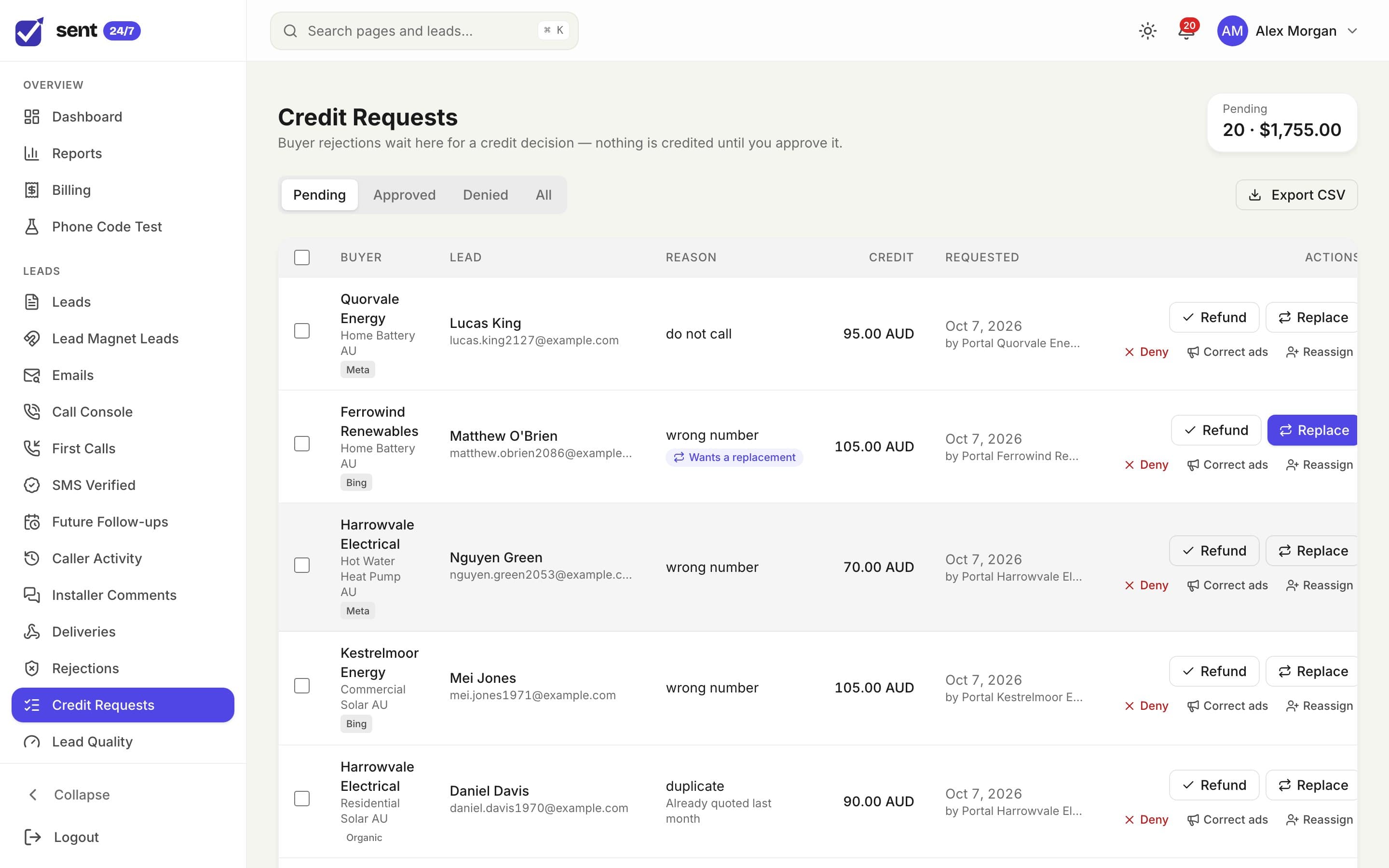
Buyers reject leads inside the rules you set. You decide each one, and the money side takes care of itself.
- A rejection window and allowed reasons for each buyer
- Approve as a refund or a replacement lead, or deny with a note
- Credits written to the ledger and settled on the next invoice
Billing
Bill from a ledger, not a spreadsheet
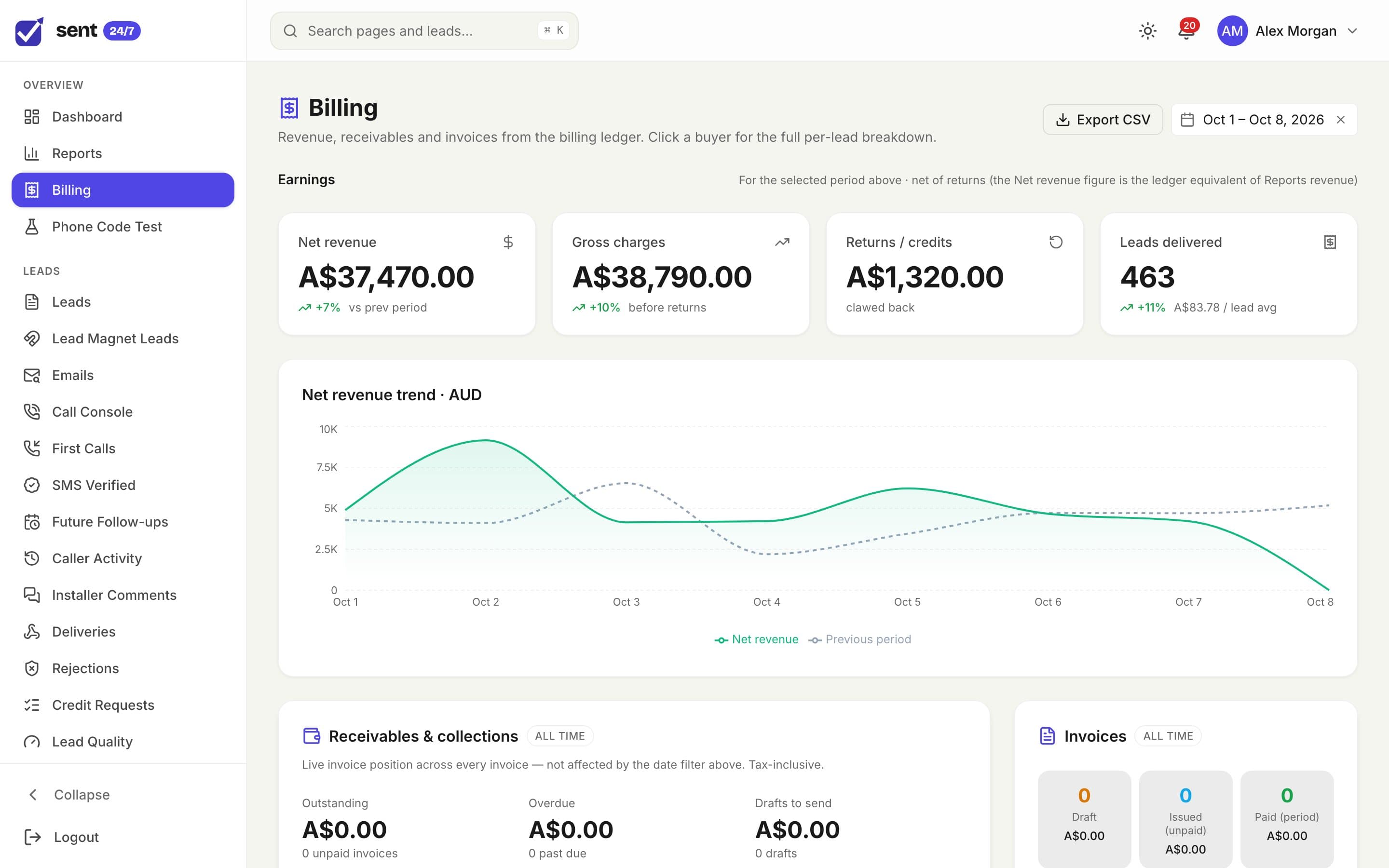
Every delivery, credit and payment is written to a ledger, so invoices match what was delivered and nothing slips through.
- A ledger of every charge, credit and payment
- Invoices with your tax rate, logo and payment details, sent from your own email address
- Credit notes, receivables and overdue tracking
- Prepaid buyers topped up by card through your Stripe account
- Lead pricing by route and lead type, with repricing for leads not yet invoiced
Reporting
Know what every campaign made
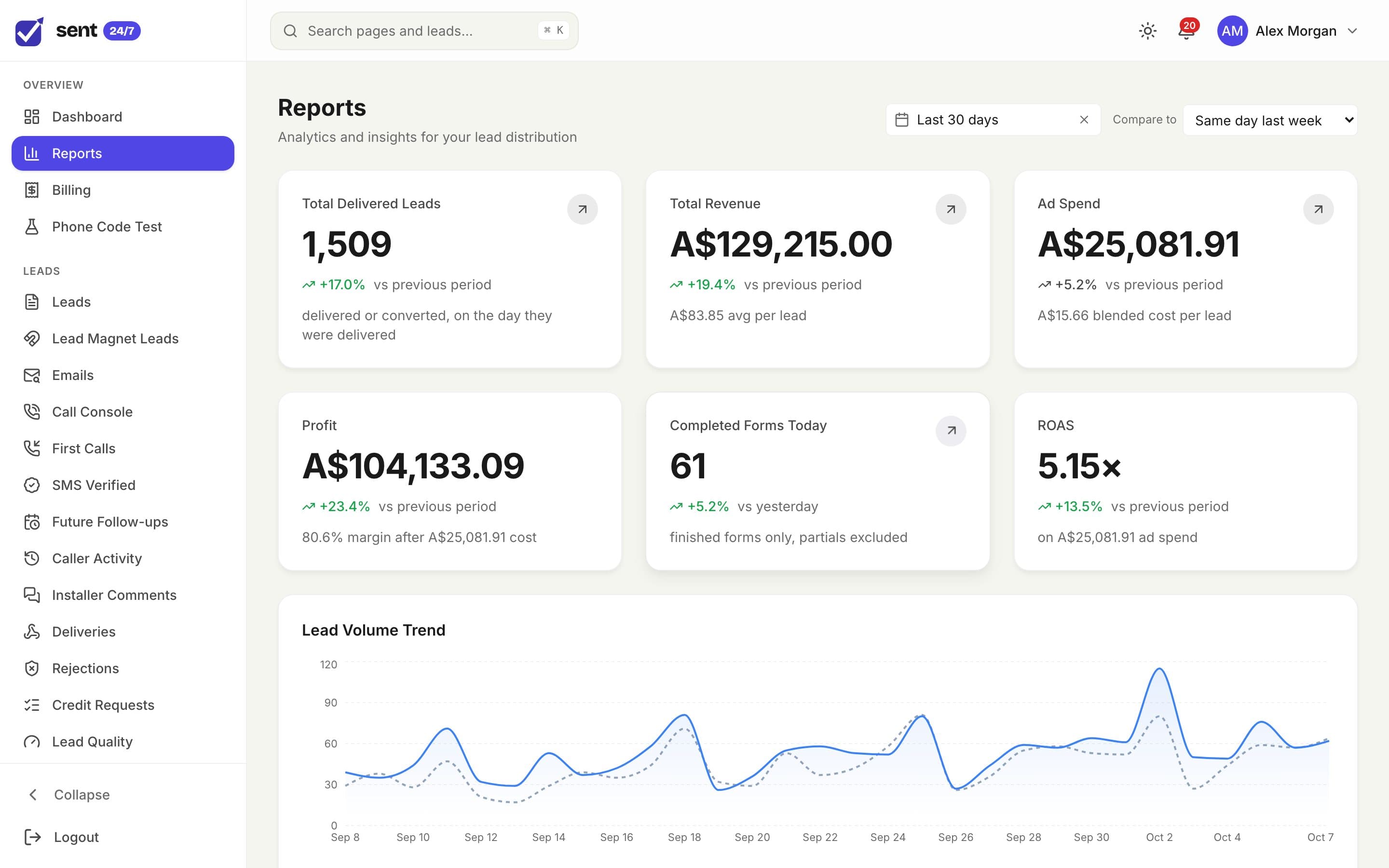
Revenue means little without the ad spend that bought it. Sent 24/7 puts the two side by side and sends conversions back to the platforms.
- Click IDs captured with every lead, from Meta, Google, Microsoft and more
- Conversions sent back to the ad platforms as leads move through the pipeline
- Ad spend synced from your ad accounts
- Revenue, cost per lead, return on ad spend and profit after ad spend, by campaign
- A lead funnel that shows where leads were lost
Buyer portal
A portal for every buyer
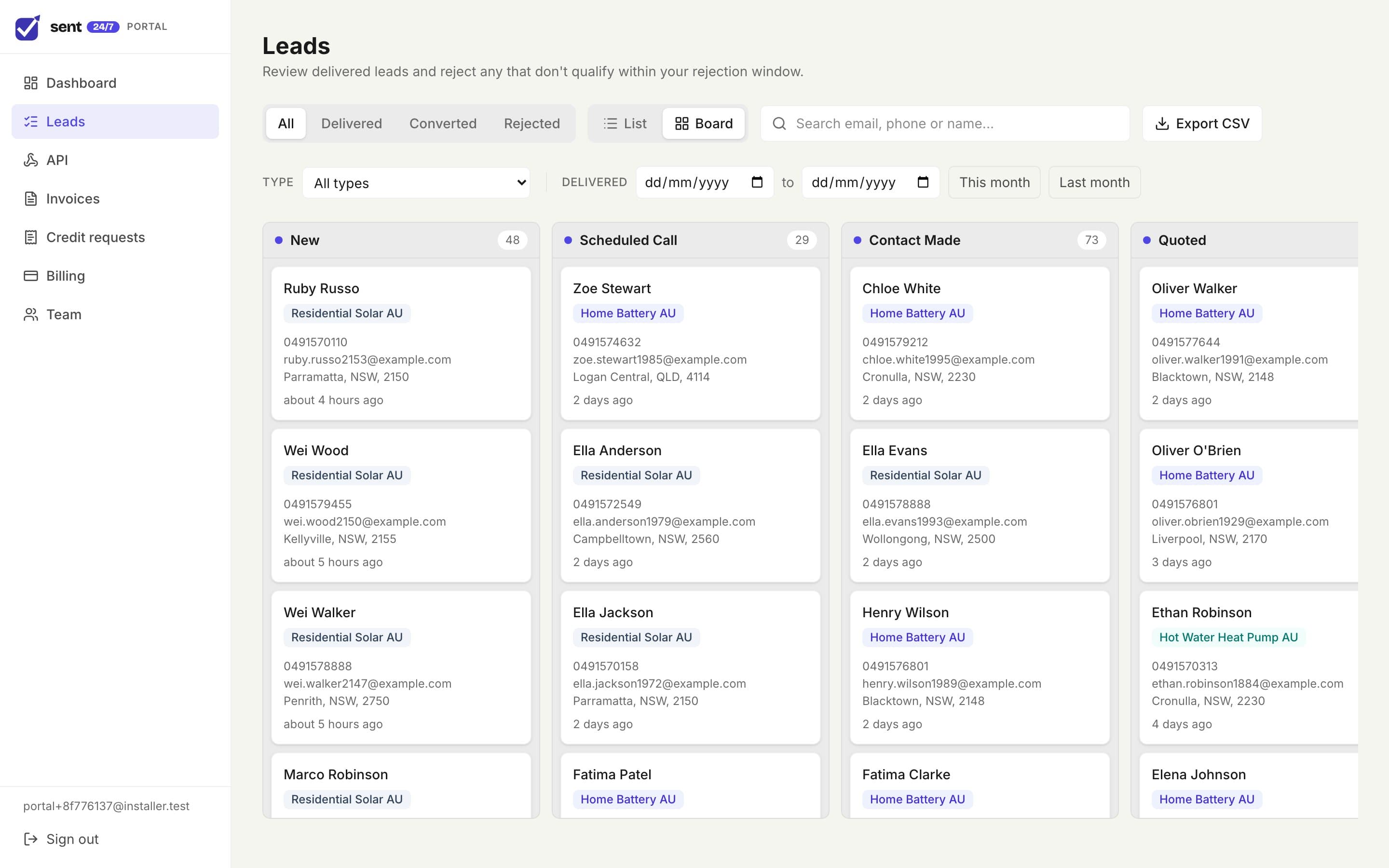
Buyers get their own login to work the leads they bought, raise rejections properly, and keep on top of their account.
- Leads as a list or a board, moved through sales stages you define
- Rejections inside the window, with a reason
- Notes, first-call logging and assigning leads to their reps
- Invoices and billing
- Team logins, and an API for buyers who post outcomes back
Automations
Follow up without lifting a finger
Email the people behind your leads at the right moments, from your own sending address.
- Email sequences, such as recovering half-finished forms
- Broadcasts to saved segments of your leads
- Lead magnets: send a guide, then follow up with an email series
- Unsubscribe links and sender details on every marketing email
See it with your own leads
Book a demo and we’ll walk through your routing, your buyers and your billing with you, then put together a quote.